Contents
- How did we compare the tools?
- Tech pack software compared at a glance
- Dedicated tech pack builders: Techpacker
- Drawing tools: Adobe Illustrator
- 3D tools: CLO and Browzwear
- PLM systems: Centric, Bamboo Rose and Lectra
- Pattern and product development: Gerber Accu…
- Spreadsheets: Excel and Google Sheets
- How should you choose by stage?
- What does none of these tools decide for you…
- Frequently asked questions
- The bottom line

Tech pack software is not one product category. A dedicated builder, a vector drawing app, a 3D simulator, an enterprise PLM and a shared spreadsheet all end up producing parts of the same document, and each one covers a different part. This comparison goes through nine tools one by one: what each does for a tech pack, how it handles collaboration and factory sharing, and how its maker prices it. Every fact below was checked on the vendor's own website in October 2026, prices again on 25 October 2026, and where a vendor does not publish a price we say so instead of guessing. If you first want the basics of what this kind of software does and when it pays off, read our guide to techpack software.
Key Takeaways
- Of the nine tools, only Techpacker's two products are built around the tech pack itself. The rest cover drawing, 3D, pattern work, product data or plain tables.
- Published prices exist for PLMBR (Techpacker's PLM), CLO, Browzwear and Adobe Illustrator. Centric, Bamboo Rose, Lectra Kubix Link and the Gerber range quote on request.
- For your first styles, a drawing tool plus a spreadsheet produces a complete spec. PLM earns its cost when many styles, people and suppliers share the same data.
- No tool on this list decides your measurements, grade rules or tolerances. That judgment still has to come from you or from the people you hire.
How did we compare the tools?
We looked at five things for each tool: who it is built for, what it does for a tech pack, how teams collaborate in it, how a factory receives the result, and the pricing model as the vendor publishes it.
We do not rank the tools, because the right one depends on your stage, not on a score. We also left out claims we could not check on the vendor's own site. Prices change, so treat the figures below as what each pricing page showed on 25 October 2026, and check the page again before you subscribe.
Tech pack software compared at a glance
The table puts the nine tools side by side. The sections after it explain each one.
| Tool | Built for | What it does for a tech pack | Collaboration and factory sharing | Pricing as published (25 Oct 2026) |
|---|---|---|---|---|
| Techpack Builder (Techpacker) | Designers and small brands building specs on their own computer | Sketches and spreadsheet-style tables on one canvas, with templates | Desktop app, files stay on your hard drive; print-ready layouts | No price shown on its site |
| PLMBR (Techpacker's PLM) | Growing brands, trading companies and manufacturers | Tech pack creation, a library of technical sketches, Illustrator plugin | Shared platform for designers, operations and manufacturers | Professional $198, Premium $240 per user a month (monthly); yearly shown at 50% off as a promotion; 7-day trial |
| Adobe Illustrator | Anyone drawing technical flats | Vector flats, callouts and detail views | File-based; you export and send sketches | Subscription, prices vary by country and billing term, 7-day trial |
| CLO | Individuals, students and enterprise teams working in 3D | 3D garments from pattern pieces; digital specs for production | CLO-SET for line planning and factory handoff | Individual $50 a month, Student $25 a month, Enterprise custom |
| Browzwear | Independent creators, brands and manufacturers working in 3D | 3D design (VStitcher); plans list a tech pack feature | Guest invites on FreelancerPlus and above; Stylezone cloud for collections | Freelancer $75 a month or $750 a year; Teams $3,950 a year; Enterprise custom |
| Centric PLM | Brands, retailers and manufacturers, small business to enterprise | Product lifecycle management across fashion and other consumer goods | Workflow collaboration and sourcing | Not published; request a demo |
| Bamboo Rose TotalPLM (now includes Backbone) | Organizations choosing a new PLM platform | Customizable tech pack templates | Tech packs shared through live links with external collaborators | Not published; schedule a meeting |
| Lectra Kubix Link | Fashion brands, their teams and suppliers | Complete digital tech packs, centralized product data, change tracking | Tech packs shared internally and externally; supplier access | Not published; request a demo |
| Gerber AccuMark and Gerber Yunique (Lectra) | Pattern rooms (AccuMark) and product development teams (Yunique) | 2D/3D pattern making and grading; cloud PLM with sample management | Yunique keeps teams and supply chain on one data source | Not published; AccuMark is a 1 to 3 year subscription |
| Excel or Google Sheets | Anyone, especially brands with a few styles | Measurement chart, bill of materials, construction notes as tables | Google Sheets: shared view/edit access, co-editing, version history | Google Sheets usable with any Google account; Excel through Microsoft |
Dedicated tech pack builders: Techpacker
Techpacker now sells two products: Techpack Builder, a desktop editor, and PLMBR, a PLM platform. Both are built around the tech pack document itself.
Techpack Builder
Techpack Builder is a desktop app for macOS and Windows, made by the team behind Techpacker. Its site describes a visual editor that puts sketches and spreadsheet-style tables on one canvas, with a library of editable templates and print-ready layouts. It works offline, and the maker stresses that your files stay on your own hard drive. That suits a designer who wants a structured spec without putting designs on someone else's server. The site did not show a price when we checked, and it does not describe built-in factory sharing, so plan on sending the factory an exported or printed file.
PLMBR (Techpacker's PLM)
PLMBR is the PLM side of the same company, presented as an AI-powered platform for scaling fashion brands, with solution pages for footwear, handbags and accessories, and workwear and uniforms. It creates tech packs, offers a library of more than 10,000 technical sketches, and has an Adobe Illustrator plugin that syncs your latest sketches into the tech pack. It is pitched as one platform for designers, operations and manufacturers. Its pricing page lists two per-user plans, Professional and Premium, both with the Illustrator plugin and a 7-day trial. On 25 October 2026, Professional showed $198 per user per month billed month to month, and Premium $240. Billed yearly, the page showed Professional at $1,140 a year ($95 a month) and Premium at $1,500 a year ($125 a month), both marked as a 50% discount on a regular yearly price of $2,376 and $2,880. Treat that yearly figure as a promotion that may end, and budget on the regular price. Both plans also list a one-time onboarding fee ($500 for Professional, $3,000 for Premium).
Drawing tools: Adobe Illustrator
Illustrator draws the flats; it does not manage the rest of the spec.
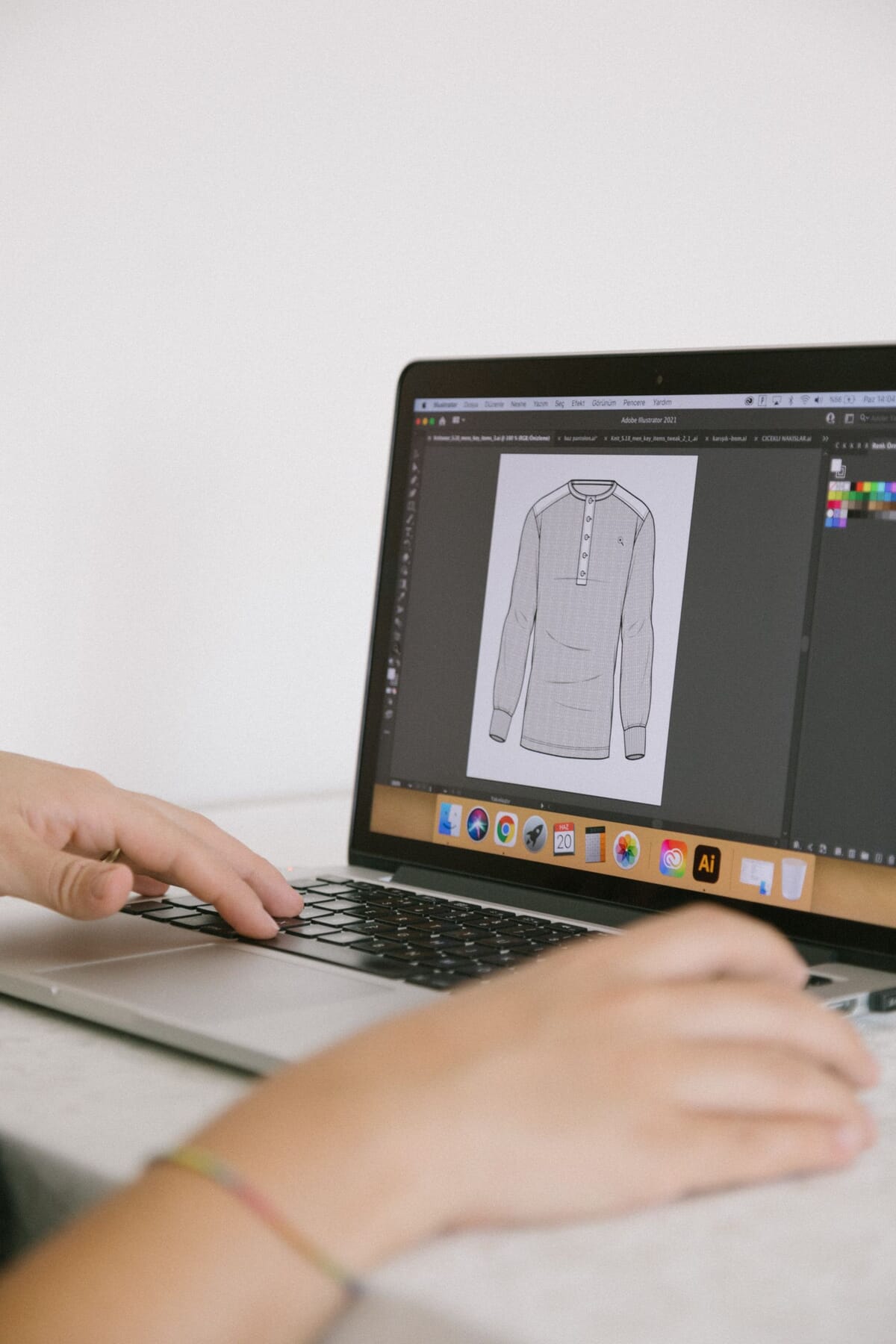
Adobe Illustrator is the usual choice for vector technical flats, stitch callouts and detail views, and most tools on this list either import its files or plug into it. On its own it holds no measurement database and no revision history beyond your file names, so it pairs with a builder, a PLM or a spreadsheet. Adobe sells it as a subscription, either as a single app or inside Creative Cloud Pro, with prices that depend on your country and billing term, and lists a 7-day free trial for the individual plan. Check Adobe's plans page for your region rather than relying on a quoted figure. Our flat sketch software guide compares Illustrator with the other drawing options.
3D tools: CLO and Browzwear
CLO and Browzwear build garments in 3D from pattern pieces, and both now sell plans to individuals as well as enterprises.
CLO
CLO calls itself the industry standard for 3D garment design and offers tracks for enterprise, academic, and individual and student users. Its site describes sending production-ready specs to factories, with CLO-SET listed for line planning and factory handoff. Its pricing page publishes an Individual plan at $50 a month and a Student plan at $25 a month (tax not included), custom Enterprise and Academic pricing, a yearly option marked "Save 25%", and a free trial. CLO is worth it when you validate fit and drape digitally before cutting a sample; it does not replace a measurement chart a factory can inspect against.
Browzwear
Browzwear sells VStitcher for 3D design and development, Lotta for block-based styling, Stylezone for sharing seasonal collections in the cloud, and a fabric analyzer. Its pricing page lists a Tech Pack feature on every plan. Freelancer costs $75 a month or $750 a year; FreelancerPlus costs $150 a month or $1,500 a year and adds guest invites and the latest two software versions; Teams costs $3,950 a year for up to three named users; Enterprise is priced on request. Eligible students and recent graduates can apply for a free six-month Learner license for non-commercial use. As with CLO, the learning curve is real, and the value comes when someone on your team actually works in 3D.
Our fashion CAD guide explains where 2D pattern software, 3D simulation and drawing tools each fit.
PLM systems: Centric, Bamboo Rose and Lectra
PLM keeps product data, tech packs, samples and supplier communication in one shared system. None of the large vendors below publishes prices.
Centric PLM
Centric Software sells Centric PLM to global and local brands, retailers and manufacturers, and says it works with businesses from small companies to large enterprises. Fashion and apparel is one of several industries it serves, alongside food, outdoor, home, cosmetics and consumer electronics. Its homepage talks about collaboration, faster time to market and lower costs, but it does not describe tech pack features in detail, and pricing is available only through a demo request.
Bamboo Rose TotalPLM (formerly Backbone)
Backbone, the PLM that many small labels knew as a designer-friendly option, is now part of Bamboo Rose TotalPLM. Bamboo Rose says Backbone PLM remains fully supported for existing customers, while organizations evaluating a new PLM are pointed to TotalPLM, its flagship product. The Backbone page describes customizable tech pack templates and sharing tech packs through live links with external collaborators. There is no published price; the page invites you to schedule a meeting.
Lectra Kubix Link
Kubix Link is Lectra's cloud-based fashion PLM, designed specifically for fashion. Lectra says it lets you create and share complete digital tech packs internally and externally with one click, keeps product data in one place with change tracking, and gives suppliers access to collection information. Customer examples on the page include 7 For All Mankind, Pinko and Zumba. Pricing is not published; Lectra offers a demo and a brochure.
Pattern and product development: Gerber AccuMark and Gerber Yunique
The Gerber range is now sold by Lectra. AccuMark handles patterns; Yunique is a separate PLM.
Gerber AccuMark is a suite of CAD applications for creating, grading and preparing patterns for production, with 3D tools linked to the 2D patterns. Lectra sells it as a subscription with two releases a year and license commitments of one to three years; the price is not published. AccuMark is not a tech pack tool in itself, but it is where the graded patterns behind your measurement chart may live. Gerber Yunique is a cloud PLM for product development with sample management, ready-made templates and libraries, and a Gerber Design Suite that works inside Adobe Illustrator. Its pricing is also on request.
If you need patterns rather than software, our pattern making service drafts the first pattern from $349 per style, and the package with the tech pack, the first pattern and grading to 5 sizes starts from $649 per style.
Spreadsheets: Excel and Google Sheets
A spreadsheet holds the measurement chart, bill of materials and construction notes as well as any dedicated tool, and every factory can open one.
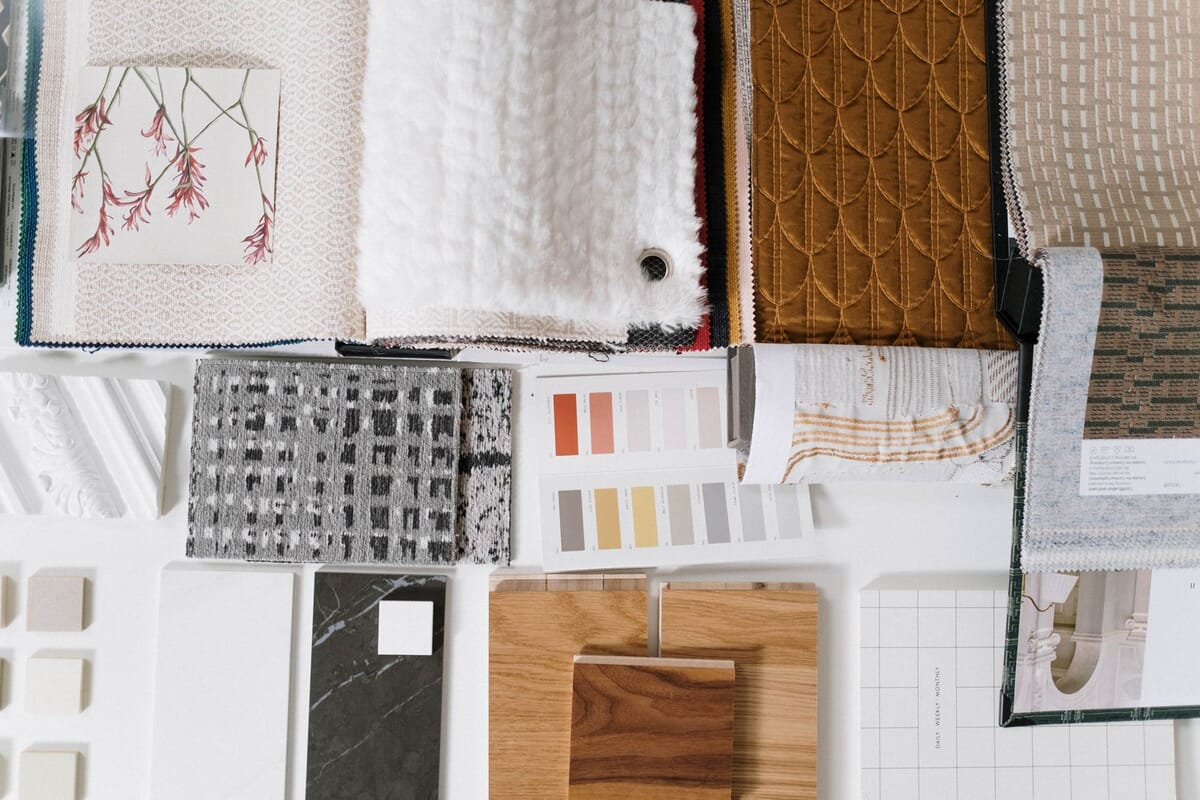
Google says anyone with a Google account can use Sheets. Its sharing settings control who can view and who can edit, several people can edit at once, version history lets you go back to an earlier version, and Excel files can be converted or edited in place. What a spreadsheet does not give you is a component library, linked sketches or approval workflows, so it works best for a short line kept by one or two people. Paired with Illustrator flats, it produces a complete spec at little or no software cost.
How should you choose by stage?
Choose by what you are doing now, not by the tool you hope to need later.
- Testing your first styles. Illustrator (or another vector tool) for flats, plus Excel or Google Sheets for the measurement chart and bill of materials. Techpack Builder is the option if you want both on one canvas.
- Repeat seasons with a small team. A shared Google Sheet with version history, or a per-user platform such as PLMBR once revisions and component reuse start to cost you time. Check that the factory can receive what the tool exports.
- Validating fit before sampling. CLO or Browzwear, if someone on the team will learn 3D properly and your patterns exist digitally. Both publish entry plans for individuals.
- Many styles, several suppliers, several departments. A PLM such as Centric, Bamboo Rose TotalPLM, Lectra Kubix Link or Gerber Yunique. Expect a demo, a quote and an implementation project rather than a sign-up page.
Whichever stage you are at, the factory only cares that the file it receives is complete and unambiguous. A clean spreadsheet beats an expensive system with an empty measurement page.
What does none of these tools decide for you?
Measurements, grade rules and tolerances. Every tool above stores, displays or shares those numbers; none of them knows your fit block, fabric or customer. Software makes a good spec easier to maintain, but the numbers inside it still come from someone who has measured, graded and checked samples. That is the part our tech pack service covers: the spec is delivered as one PDF that is yours to send to any factory.
Frequently asked questions
Which tech pack software has published prices?
Of the nine tools in this comparison, PLMBR (Techpacker's PLM), CLO, Browzwear and Adobe Illustrator publish prices on their own sites. Centric PLM, Bamboo Rose TotalPLM, Lectra Kubix Link and the Gerber range ask you to request a demo or a meeting. Techpack Builder showed no price when we checked on 25 October 2026.
Is Techpacker still a web app?
Techpacker now presents two products: Techpack Builder, a desktop app for macOS and Windows that works offline and keeps files on your computer, and PLMBR, its PLM platform with an Adobe Illustrator plugin. Check both sites for the current plans before you commit.
What happened to Backbone PLM?
Backbone is now part of Bamboo Rose TotalPLM. Bamboo Rose says Backbone PLM remains fully supported for existing customers, while organizations evaluating a new PLM are directed to TotalPLM.
Can CLO or Browzwear make a tech pack?
Browzwear lists a Tech Pack feature on all of its published plans, and CLO describes sending production-ready specs to factories. Both still rely on accurate patterns and measurements, and a factory still needs a measurement chart with tolerances it can inspect against.
Is a spreadsheet enough for a tech pack?
For a few styles, yes. Excel or Google Sheets holds the measurement chart, bill of materials and construction notes, and Google Sheets adds sharing, co-editing and version history. Pair it with vector flats and you have a complete spec. Move to dedicated software when revisions and shared components start to cost you time.
Which tool is best for a small brand?
There is no single best tool. For first styles, a drawing tool plus a spreadsheet or Techpack Builder is usually enough. Per-user platforms and 3D tools make sense once you have the volume or the 3D skills to use them, and enterprise PLM once many people and suppliers share the same product data.
The bottom line
Most of the tools in this comparison do one part of the tech pack well: Illustrator draws, CLO and Browzwear simulate, AccuMark grades, PLM systems share and track, spreadsheets hold the tables, and Techpacker's products put the document itself at the center. Pick the smallest setup that produces a complete, unambiguous file for your current line, and upgrade when the work, not the marketing, tells you to. For the bigger picture of what goes into the document, start with our tech pack guide.
Peter Midea is GarmentSpec's technical lead for brand development.
We build the factory-ready spec a manufacturer can quote from: technical flats, bill of materials, graded points of measure with tolerances, colorways and construction notes in one PDF. $299 per style, or $249 per style from 3 styles, 3 to 5 working days, 2 to 3 revision rounds.
Get your tech pack: $299See pattern makingWe don't take your production. The spec is yours to send to any factory, anywhere. Talk to us first if you're not sure what you need.
Sources
Vendor facts were checked on these pages on 23 October 2026, and prices again on 25 October 2026.
- Techpack Builder, Techpacker's desktop tech pack app
- Techpacker, Techpack Builder and PLMBR product overview
- PLMBR, Techpacker's PLM platform and Illustrator plugin
- PLMBR pricing, Professional and Premium plans
- Adobe, Illustrator plans and free trial
- CLO, 3D garment design software
- CLO pricing, Individual, Student, Enterprise and Academic plans
- Browzwear, VStitcher, Lotta, Stylezone
- Browzwear pricing, Freelancer, FreelancerPlus, Teams and Enterprise plans
- Centric Software, Centric PLM
- Bamboo Rose, Backbone is now part of Bamboo Rose TotalPLM
- Lectra, Kubix Link PLM
- Lectra, Gerber AccuMark
- Lectra, Gerber Yunique
- Google, Google Sheets sharing, co-editing and version history
Related guides
- Techpack software: what it does and when it pays off
- Flat sketch software
- Fashion CAD software
- Tech packs: the complete guide
- What a tech pack costs