Contents
- Can you actually make a tech pack in Canva?
- What does a factory-ready tech pack include?
- What does Canva handle well in a tech pack?
- Where does Canva fall short?
- Canva vs the tech pack pages: what to watch
- How do you fill in the Canva tech pack templ…
- What about the measurement and grading page?
- What's the realistic Canva tech pack workflow?
- What about the cost sheet and revision histo…
- When should you move off Canva?
- Frequently asked questions
- The honest bottom line

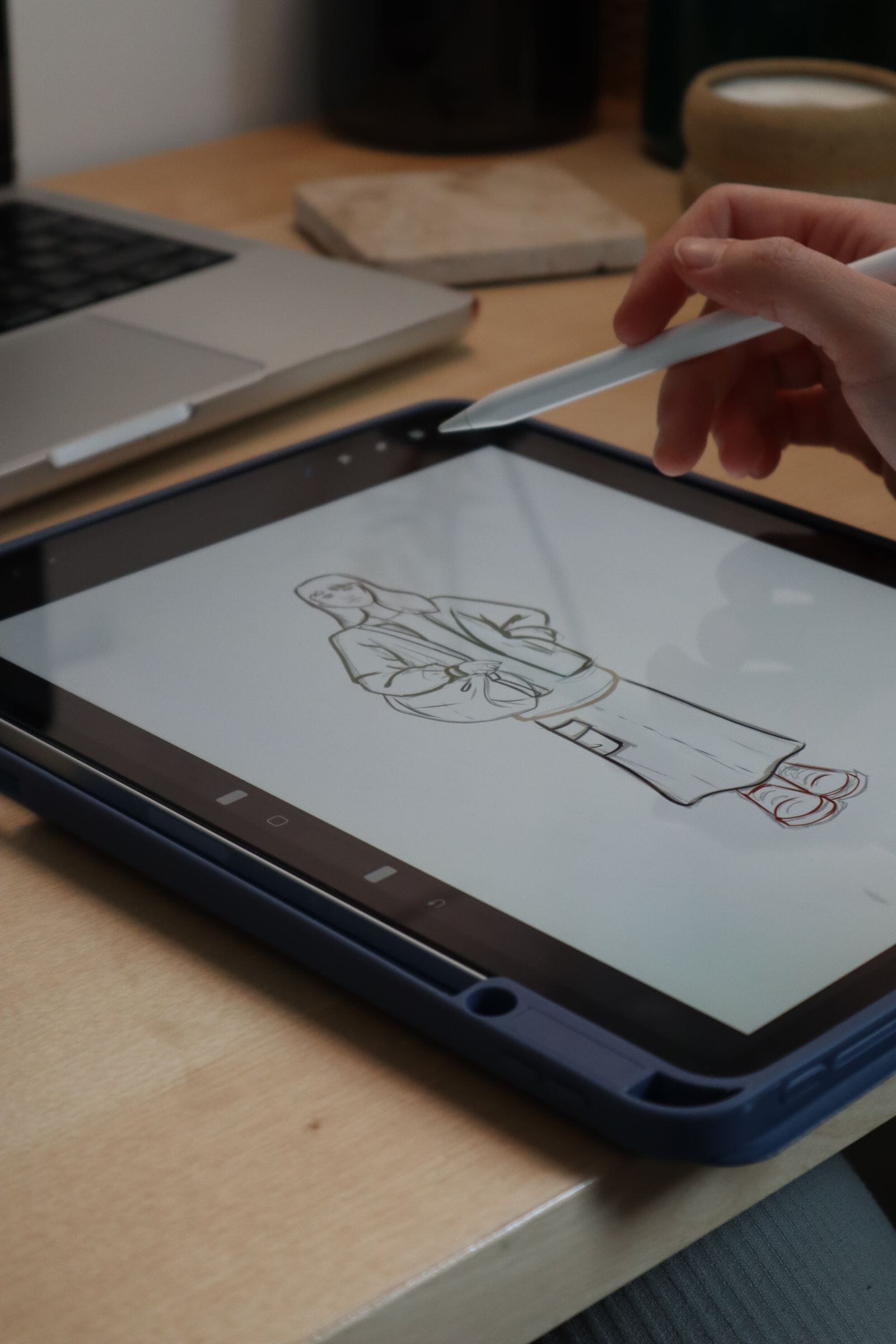
Most first-time founders think a tech pack requires Adobe Illustrator and a paid subscription. It doesn't. A tech pack is a document, and Canva builds documents just fine. I've received Canva-built tech packs on the factory side, and plenty of them cleared the cutting table without a single question. The catch is narrow but real: Canva has no spreadsheet engine, so the measurement and grading page is where these files fall apart. This template hands you the pages Canva does well, tells you exactly how to fill them, and shows you which single page still needs care. Free, honest, and built by someone who reads these documents for a living.
Key Takeaways
- A standard tech pack runs 8 sections, and Canva handles most of them well.
- Canva is strong on layout, colorways, labels, and image placement. It's weak on precise vector flats and grading.
- The graded measurement page has no formula logic in Canva, so every size must be entered by hand.
- Free Canva is enough for the whole file except crisp flats and grading math.
- Get the template free below; we fill the measurement and grading page for $299.
Can you actually make a tech pack in Canva?
Yes, you can build a factory-ready tech pack in Canva, and I've approved several on the production floor. A tech pack is a structured spec sheet, not a piece of vector art. Canva lays out pages, tables, images, and labels cleanly. The one page it can't compute is the graded measurement chart, which needs manual entry.
Here's the thing people miss. Factories don't grade your file on which software you used. They grade it on whether the information is complete, unambiguous, and consistent. A Canva PDF and an Illustrator PDF arrive at my table looking like the same thing: pages with instructions. When a Canva file gets rejected, it's almost never because it was made in Canva. It's because a measurement was missing or a colorway had no Pantone reference.
Citation capsule: A tech pack is a specification document, not artwork, and typically contains around 8 core sections covering sketches, materials, measurements, and construction. Canva can produce every one of those sections as an exportable PDF, which is all a factory needs to read your spec.
What does a factory-ready tech pack include?
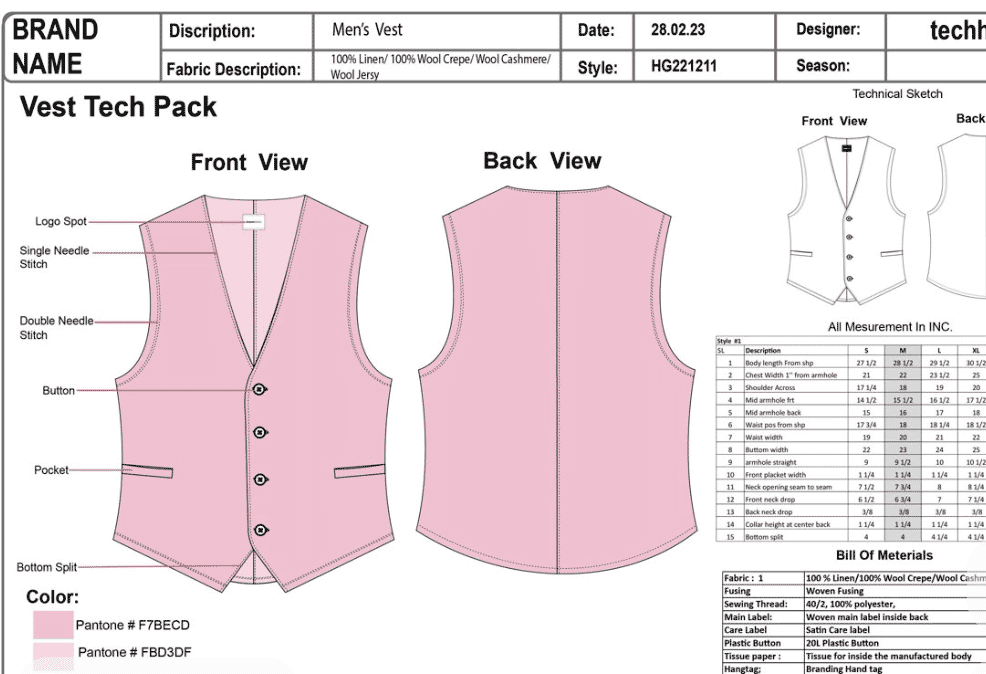
A factory-ready tech pack runs to roughly eight pages that give the maker everything needed to cut, sew, and finish your garment. Sewport describes the document as the blueprint a manufacturer works from (Sewport). Miss a section, and questions start.
The pages a factory-ready Canva tech pack needs:
- Cover page and style summary
- Flat sketches (front, back, details)
- Bill of materials (BOM)
- Measurements and points of measure
- Grading (measurements across sizes)
- Colorways and Pantone references
- Labels, trims, and packaging
- Construction and stitch details
Notice that seven of those eight are layout and reference work. Only one, the grading page, is math. That single ratio explains why Canva takes you almost all the way and then stops. You're not choosing between "Canva works" and "Canva doesn't." You're choosing tools for a document that's 87% layout and 13% spreadsheet.
Citation capsule: The standard tech pack covers roughly eight sections, from flat sketches and a bill of materials to measurements, grading, and construction notes (Sewport). Of those, only the grading table requires calculation. The rest is structured layout that a Canva document handles directly.
What does Canva handle well in a tech pack?
Canva handles most of a tech pack well: the cover page, the bill of materials, colorways, labels, image placement, and general layout. These pages are structured reference work, and Canva's tables, frames, and text tools cover them cleanly. You can export a print-ready PDF that reads clearly on a factory floor.
Let me be specific about where Canva earns its place. The cover and style summary need a clean grid, a logo, and a few fields. Easy. The BOM is a table with fabric, trims, quantities, and suppliers. Canva tables handle that. Colorways need swatches with Pantone codes typed next to them, and image placement means dropping your reference photos into frames. All of that is native Canva work, and it looks professional.
Citation capsule: A tech pack functions as the manufacturer's blueprint, carrying materials, colorways, labels, and construction references in a single document (Sewport). Canva's table, frame, and text tools reproduce each of those reference pages as an exportable PDF, matching what a factory expects to receive from a professional spec.
The pages Canva nails
For the cover, BOM, colorways, labels, and packaging pages, Canva is genuinely good. Type your fields, drop your images, keep the layout consistent across pages. On the factory side, consistency reads as professionalism. A tidy Canva file signals a founder who thought things through, and that earns you a more careful read of the pages that matter.
Where does Canva fall short?
Canva falls short on two things: precise vector flats and an editable graded measurement table. Canva has no real spreadsheet logic, so grading numbers can't be calculated inside the file. Every measurement across every size must be typed by hand, which is exactly where mistakes creep in. That's the honest limit.
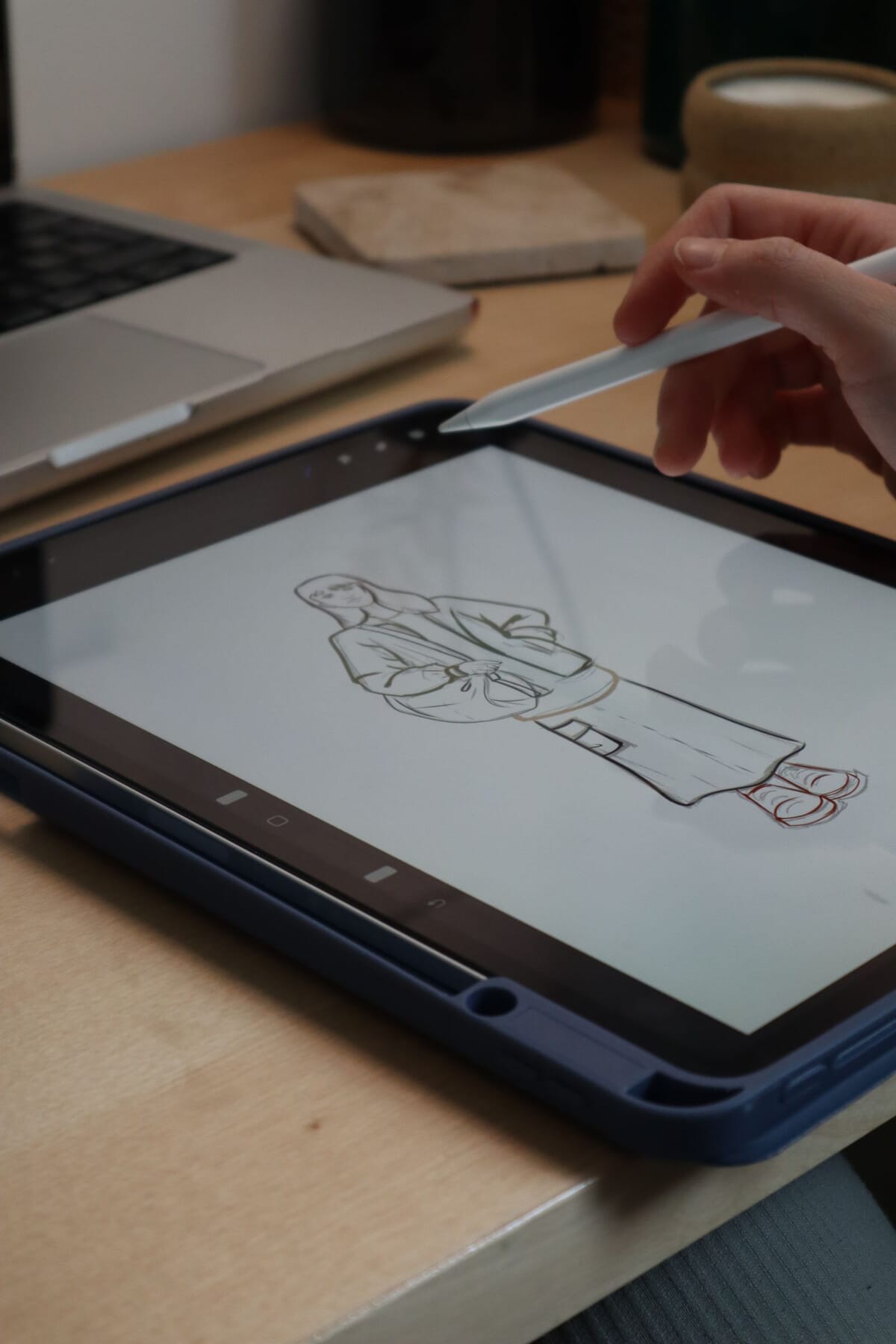
Vector flats are the smaller problem. A flat sketch is a clean, technical line drawing of the garment. Illustrator draws these with crisp, scalable vectors. In Canva, you're placing an image or a simpler shape, so the lines can look softer up close. Most factories accept a clear, labeled flat regardless of how it was drawn. So this rarely blocks a file, but it's a real difference.
Citation capsule: Body measurement standards such as ASTM D5585-21 define the size specifications garment grading relies on (ASTM), maintained by ASTM Subcommittee D13.55 (ASTM). Canva stores these numbers as static text with no formula, so a grading error stays invisible until it reaches a factory's measuring table.
Canva vs the tech pack pages: what to watch
Here's a page-by-page breakdown of where Canva is safe and where you need to slow down. The document below reflects what I check when a Canva file lands on my desk. Layout pages rarely cause problems. The measurement and grading pages cause almost all of them.
| Tech pack page | Does Canva handle it well? | Watch-out |
|---|---|---|
| Cover / style summary | Yes | Keep style number and date consistent on every page. |
| Flat sketches | Partly | Lines look softer than vector; label every seam clearly. |
| Bill of materials | Yes | List supplier, composition, and quantity for each line. |
| Measurements (POM) | No | No formula logic; type each value and double-check. |
| Grading table | No | Increments must be calculated outside Canva, then entered. |
| Colorways | Yes | Add exact Pantone codes next to every swatch. |
| Labels / trims | Yes | Show placement with a measured reference point. |
| Construction notes | Yes | Name stitch types and seam allowances precisely. |
How do you fill in the Canva tech pack template?
You fill the Canva template top to bottom, one page per section, using the eight standard sections as your checklist. Start with the cover, work through the BOM and colorways, then handle measurements and grading last and slowest. A finished file is complete, consistent, and unambiguous. That's the whole standard.
Step 1: Cover, BOM, and colorways
Fill the easy pages first to build momentum. On the cover, add your style name, style number, season, and date. On the BOM, list every material with composition, supplier, and quantity. On colorways, place your swatches and type the exact Pantone code beside each one. These pages are pure layout, and Canva makes them quick.
Step 2: Flats, labels, and construction
Next, drop your flat sketches into the sketch pages and label the key seams, pockets, and closures. Add your care labels and trims with a measured placement point, like "8 cm from center back neck." Then write your construction notes: stitch type, seam allowance, and any finish. Keep the language plain. A factory reads instructions, not adjectives.
Step 3: Measurements and grading, slowly
Save the measurement and grading pages for last, when you're focused. Enter your base size points of measure, then calculate each grade increment outside Canva. A spreadsheet or a calculator works. Type each graded value into the Canva table by hand, then read every number back once. This page has no safety net, so the check matters.
Citation capsule: Garment grading scales a base size up and down using fixed increments rooted in measurement standards like ASTM D5585-21 (ASTM). Because Canva stores these values as plain text with no calculation, the template author must compute increments separately and enter each size individually, then verify the full table before export.
What about the measurement and grading page?
The measurement and grading page is the one part of a Canva tech pack that genuinely needs care, because Canva can't do the math and factories check it hardest. Standard sampling plans like ISO 2859-1 and ANSI/ASQ Z1.4 set the acceptance rules (QIMA), and a garment that measures out of spec fails inspection. Numbers are where files die.
On the factory side, we inspect finished garments against an Acceptable Quality Limit. QIMA notes an AQL of 2.5 is common for general goods, 1.0 for higher-risk items, and zero tolerance for critical defects (QIMA). A wrong grade increment produces a batch that misses your own spec. That's not a factory error. That's a tech pack error, and it's expensive to unwind once fabric is cut.
Building a tech pack yourself can run $500 to $2,000 per style through freelancers (Guru). The layout pages you can absolutely do free in Canva. The grading page is the piece worth handing off. Our team fills the measurement and grading page for a flat $299, so your free Canva file arrives at the factory with the one hard page done right. See the tech pack service for details.
Citation capsule: Finished garments are inspected against an Acceptable Quality Limit, commonly 2.5 for general products and 1.0 for higher-risk items, with critical defects at zero (QIMA). A miscalculated grade in a Canva file produces out-of-spec sizes that fail this check, which is why the grading page deserves the most attention.
What's the realistic Canva tech pack workflow?
The realistic workflow treats Canva as the assembler, not the spec engine. You draw flats in a vector tool, compute the spec in a spreadsheet, then pull both into Canva for layout and presentation. Building a tech pack through freelancers runs $500 to $2,000 per style (Guru). Splitting the job across three free tools does the same work yourself.
Think of it as three tools, each doing what it's best at. A vector tool draws the flats. A spreadsheet handles the math: bill of materials, points of measure, and grade increments. Canva takes those finished pieces and lays them out into a clean, readable document with your colorways, labels, and cover. Canva assembles. It doesn't calculate.
You don't need to buy anything for this. Inkscape draws vector flats for free, Google Sheets does the grading math for free, and Canva's free tier assembles the file. The paid options exist, but the free stack covers the whole job. What you're buying with a paid vector tool is speed and polish, not capability.
The cleanest Canva files I approve share one habit. The founder computed the numbers in a spreadsheet, then pasted the measurement and grading tables into Canva as a flat image, not as editable text. Why? A pasted image can't shift, reflow, or get half-edited later. The spec stays frozen exactly as it was checked. When I see that, I trust the file more, because the person clearly separated the thinking from the layout.
Citation capsule: A freelance-built tech pack costs roughly $500 to $2,000 per style (Guru). The do-it-yourself equivalent splits the work across three free tools: a vector app for flats, a spreadsheet for BOM and grading math, and Canva to assemble the finished document for the factory.
What about the cost sheet and revision history?
The cost sheet and revision history are the two pages first-time founders skip, and both belong in a complete file. A freelance tech pack that runs $500 to $2,000 per style (Guru) almost always includes them. Canva handles the cost sheet cleanly as a table. Revision history is where it genuinely struggles.
The cost sheet is straightforward. It's a table listing each material, its consumption per garment, the unit price, and a running total, plus labor and margin lines. Canva tables render this fine, exactly like the BOM. Type your figures, keep the columns aligned, and export. A factory or agent uses this page to sanity-check your target price against real material costs.
Revision history is the harder page, and here Canva shows a real weakness. A revision log records what changed, when, and by whom, so version 3 clearly supersedes version 2. Canva has no true version control that a factory can read. Its internal version history is buried in the editor and never exports to the PDF. So you must stamp every page with a visible version number and date, by hand, and update them on every change.
The versioning gap is Canva's most underrated tech pack weakness, and it bites at the worst moment. Picture two PDFs in a factory inbox, both named "techpack final." Which one is current? With Illustrator or dedicated tech pack software, revision tracking is built in and visible. In Canva, the only defense is discipline: a version field on every page, changed every single time you touch the file. Miss that, and the wrong file gets cut.
Citation capsule: A complete tech pack includes a cost sheet and a revision history alongside the design pages. Canva renders the cost table well, like any other table, but has no exportable version control. Revision tracking must therefore be stamped on each page by hand, with a visible version number and date changed on every edit.
When should you move off Canva?
Move off Canva when the grading gets heavy or the revisions get frequent. Grading a full size run against a standard like ASTM D5585-21 (ASTM) means recomputing dozens of values every time a fit changes, and hand-typing that into Canva stops being safe. At that scale, a spreadsheet-linked tool earns its keep. Volume is the trigger, not ambition.
Canva fits a specific founder well. If you're launching one to three styles, watching your budget, and you have a strong visual sense, Canva is a genuinely good choice. You get a professional-looking document for free, and the layout pages practically build themselves. Plenty of small brands run their entire first collection on Canva files and never hit a wall.
Canva stops fitting once you scale. If you're running a multi-style catalog across seasons, revising fits often, or managing complex grading, the manual entry and missing version control turn into a liability. That's the point to compare dedicated options. See the tech pack software guide, where grading formulas, linked measurement tables, and revision tracking are built in rather than worked around.
Citation capsule: Grading a full size run against a standard like ASTM D5585-21 (ASTM) forces a recalculation on every fit change. Canva has no formula engine to absorb that, so once grading volume and revision frequency climb, a spreadsheet-linked tech pack tool becomes the safer home for the file.
Frequently asked questions
Is Canva enough for a factory?
Yes, Canva is enough for a factory in most cases, because a tech pack is a document and factories read documents. The standard structure runs about 8 sections, and Canva produces all of them as a clean PDF. Your only weak spot is the graded measurement page, which needs manual, careful entry.
Free version or Canva Pro?
The free version of Canva is enough for a complete tech pack. You get tables, frames, text tools, and PDF export, which cover the cover, BOM, colorways, labels, and construction pages. Pro adds convenience features like brand kits and background removal. Neither version calculates grading, so Pro doesn't fix the one page that actually matters most here.
What about the measurement page?
The measurement page is the hard part, because Canva has no spreadsheet logic and can't calculate grade increments. You must compute each size outside Canva, then type every value by hand. Since garments are inspected against spec under AQL sampling (QIMA), a single wrong number can fail a batch. Check it twice.
Do I need Illustrator instead?
No, you don't need Illustrator for a working tech pack. Illustrator draws crisper vector flats, and some designers prefer it for that reason. Most factories accept a clear, labeled Canva flat without complaint. If precise vector flats matter for your product, compare the Illustrator template against this one and pick the fit.
How many pages should a Canva tech pack be?
A Canva tech pack usually runs 6 to 12 pages, mapped to the 8 standard sections (Sewport). Simple styles like a tee need fewer; a structured jacket needs more. One page per section is a safe default. Add pages when a garment has many trims, colorways, or construction details worth showing separately.
What's the best Canva tech pack workflow?
The best workflow uses Canva as an assembler, not a spec engine. Draw your flats in a vector tool, compute the bill of materials and grading in a spreadsheet, then lay everything out in Canva. This three-tool split does for free what a paid freelancer would otherwise charge to assemble.
Can Canva track tech pack versions?
No, Canva has no exportable version control a factory can read. Its internal editor history stays buried and never prints to the PDF. So stamp a visible version number and date on every page, and change them on every edit. Otherwise two files named "final" reach the factory and the wrong one gets cut.
The honest bottom line
Canva builds a real, factory-acceptable tech pack, and you don't need Illustrator or a paid plan to do it. Seven of the template's eight pages are layout work that Canva does cleanly: cover, BOM, colorways, labels, packaging, construction, and flats. The single page that needs real care is grading, because Canva has no formula engine and factories inspect measurements hardest. Grab the free template below, fill the easy pages yourself, and slow down on the numbers. If the grading page worries you, we fill it for $299. Start with the main tech pack template, learn the format at what is a tech pack, or study a worked example on the hoodie tech pack page. For the pillar overview, see tech packs.
Peter Midea is GarmentSpec's technical lead for brand development.
We build the factory-ready spec a manufacturer can quote from without a single question: technical flats, bill of materials, graded points of measure with tolerances, colorways and construction notes. $299 per style, 3 to 5 working days, 2 to 3 revision rounds.
Get your tech pack — $299Start with the free templateWe don't take your production. The spec is yours to send to any factory, anywhere. Talk to us first if you're not sure what you need.
Sources
Every statistic and definition in this article traces to one of the following. Each is listed once here, and cited inline where it is used.
Related guides
- Free tech pack template
- Illustrator tech pack template
- Blank PDF & Excel template
- Download the template (Illustrator, PDF, Excel)